Re-registration
Online re-registration for creches and preschools
Every October the same paperwork returns: a form per child, signatures, fees and a deadline. HiDay sends parents a pre-filled form they can complete and sign on a phone, and shows you next year’s numbers while there is still time to act.
How it works
A re-registration campaign in three steps
- 1
Open the campaign
Choose the year, the deadline and your fee rules. Parents are notified by email.
- 2
Parents reply on their phones
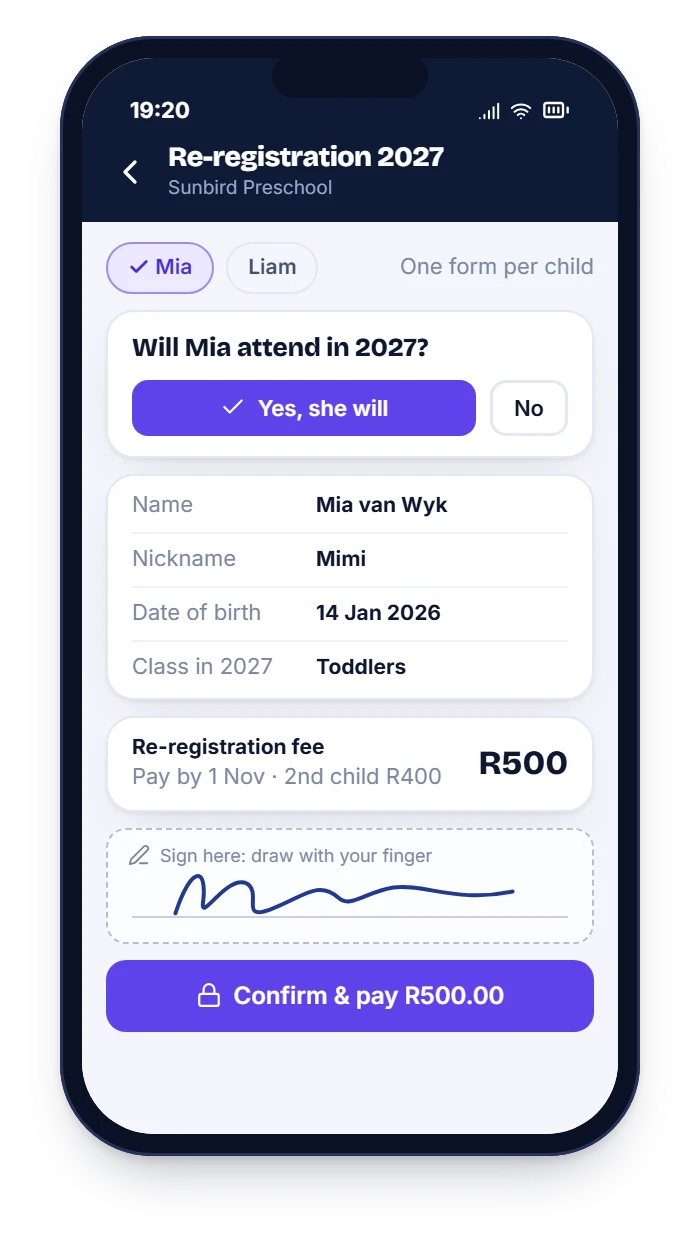
Yes or no for each child, details confirmed, fee paid and a signature drawn with a finger.
- 3
You see the results
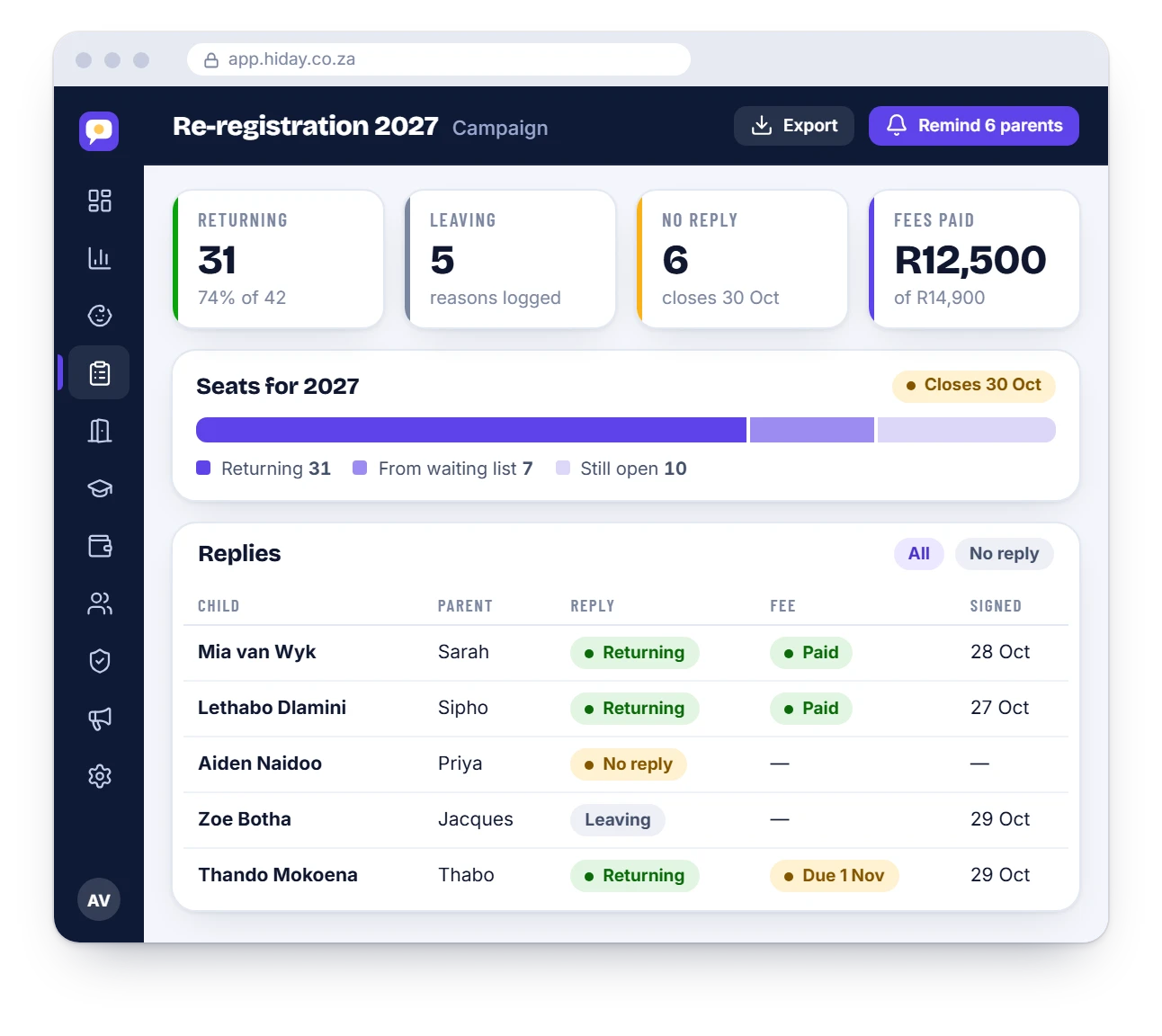
Returning, leaving and no reply, by class, with reminders going to anyone who has not answered.
Your rules
Rules that match your school
Every school has its own re-registration habits. HiDay lets you set yours.
- A fee that depends on child order: first, second and third child
- A form deadline and a payment deadline
- “Registration confirmed only when the fee is paid”
- A reason for leaving, so you learn why families go
- The class each child moves into next year
Next year’s seats
Next year’s seats, known in October
See returning children, leavers and open seats by class before the holidays, then offer the empty seats to families on your waiting list.
- Returning, leaving and no-reply counts
- Open seats by class
- Offer seats from the waiting list in one click
Need a template today? Use our free re-registration form wording.

Questions
Re-registration: common questions
Can parents sign on a phone?
Yes. They draw their signature on the screen with a finger, and the signed form is saved with the date and time.
What about families with more than one child?
Each child gets their own form, and a parent completes them one after the other on the same screen.
Can we collect the re-registration fee online?
Yes. The fee follows your rules, such as a different amount for a second or third child, and is posted to the family’s account.
What if a parent does not reply?
HiDay reminds them automatically until the deadline, and shows you who is still outstanding.
See it with your own school’s set-up
WhatsApp us and we will walk you through it, using your classes and your fee structure.